Plan your homelab before you buy it.
HLBuilder is an open-source visual planner for homelabs, LAN parties and game servers. Put routers, switches, servers and storage on a canvas, wire them up, and get the IP plan, the hardware sizing and the config files for what you drew.
Free and open source. Version 1.3 adds planning for LAN parties and game servers.
The demo plans a homelab or a LAN party from a few choices and draws it with the real builder: devices, cables, addresses and power.
A diagram tool gives you boxes and lines. HLBuilder gives you devices with ports, cores, watts and addresses, and does the arithmetic.
What the canvas knows
A switch here is a switch: it has ports that fill up, a draw in watts and a place in the address plan.
- Ports and cables
- Every device has a real number of ports and every cable a speed. A full switch or a loop is refused while you draw.
- Addresses
- Each device a router can reach gets an address from the range of its role. Containers and virtual machines follow their host.
- Capacity
- Cores, memory, storage and watts are added up as you place services, so you see when a host is full.
- Layout
- Polish arranges the canvas: internet on top, every device under its port, no overlapping cards, no crossed cables in the tree.
- Files
- Docker Compose, an env file, an Ansible inventory and reverse proxy config, generated from the build.
Every device gets an address you can guess
HLBuilder walks the cables outward from each router and hands out addresses by role. Look at an address and you know what kind of device it is.
| Device | Role | Range | Address |
|---|---|---|---|
| Lab Router | Router | .1 | 192.168.1.1 |
| Core Switch | Switch | .10 and up | 192.168.1.10 |
| Wi-Fi Access Point | Access point | .20 and up | 192.168.1.20 |
| Storage NAS | NAS | .100 and up | 192.168.1.100 |
| Proxmox host | Server | .150 and up | 192.168.1.150 |
| Jellyfin | Container on that server | .151 to .159 | 192.168.1.151 |
| Mini PC | Mini PC | .170 and up | 192.168.1.170 |
- A device with no path to a router gets no address, so a missing cable shows.
- Two routers on one subnet never hand out the same address.
- The DHCP pool grows with the seats and Wi-Fi clients you plan for.
The assistant proposes. You approve.
Connect Claude Code, Cursor or any MCP client to the built-in MCP server, or use the chat in the builder with your own API key. Either can read a build and suggest changes. Neither can save one.
“Add a NAS for backups and put it on the core switch.”
- Read the build 7 devices, 4 services
- Searched the hardware catalog 4-bay NAS
- Checked the network no warnings
- Backup NAS, 192.168.1.100
- cable from Core Switch to Backup NAS, 1 GbE
- Restic moves from the mini PC to the NAS
- A proposal is drawn on your canvas with every change marked.
- One Ctrl+Z undoes an applied proposal.
- Provider keys are stored encrypted and never sent back to the browser.
A LAN party where the breakers hold
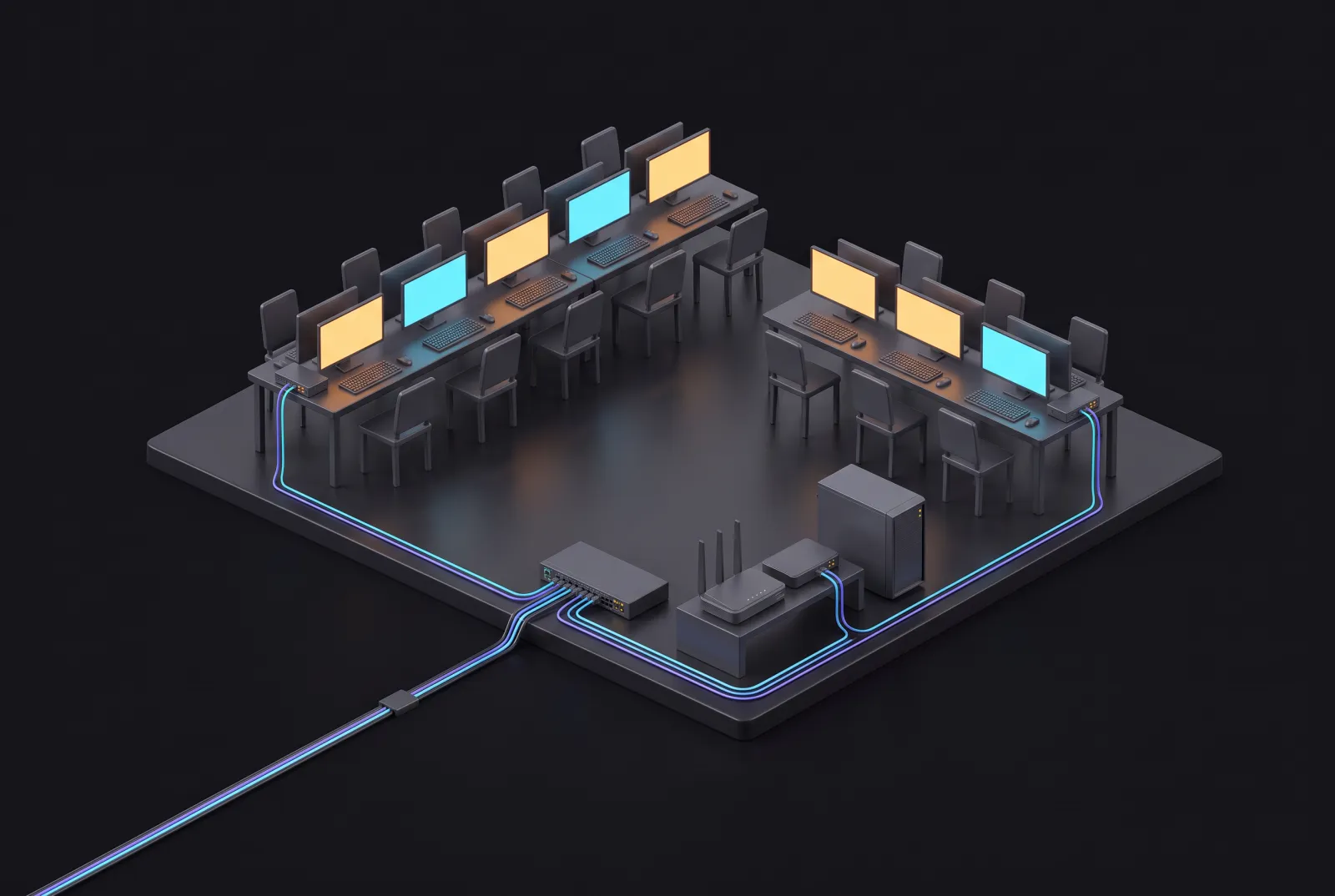
Say how many players are coming and what the venue's sockets carry. You get tables with their switches, a core switch with enough ports, a DHCP pool that fits everyone, and the load on every circuit.
| Circuit | Feeds | Load | Watts |
|---|---|---|---|
| Circuit 1 | Table 1, 8 seats | 2810 W, 76% | |
| Circuit 2 | Table 2, 8 seats | 2810 W, 76% | |
| Circuit 3 | Table 3, 6 seats | 2110 W, 57% | |
| Circuit 4 | Server, core switch, Wi-Fi | 440 W, 12% |
- A table stands for its seats and its switch, so a 64-player party stays readable.
- The load on every circuit is checked against what its breaker carries for hours.
- You leave with a party plan, a connect sheet for players and the port list.
A game server for your friends, sized per player
Minecraft, Valheim, Palworld, Counter-Strike 2, Factorio and more. Each server knows its ports and how friends reach it: LAN only, a port forward, a VPN or a relay.
# Game servers on Game Server
# Generated by HLBuilder. Fill in .env before starting: docker compose up -d

services:
  valheim:
    image: ghcr.io/community-valheim-tools/valheim-server:latest
    container_name: valheim
    restart: unless-stopped
    ports:
      - "2456:2456/udp"
      - "2457:2457/udp"
    environment:
      SERVER_NAME: ${SERVER_NAME}
      WORLD_NAME: ${WORLD_NAME}
      SERVER_PASS: ${SERVER_PASS}
    volumes:
      - ./valheim/config:/config
- ./valheim/server:/opt/valheim- Which ports to forward on which router, and whether two servers clash.
- Whether your upload is enough, and what carrier-grade NAT means for you.
- A Compose file per host, ready to start.
For the step before you plug anything in
Tools that scan and watch a network are for what already runs. HLBuilder is for deciding what to build. They go well together.
| Task | Diagram tools | HLBuilder | Mapping and monitoring |
|---|---|---|---|
| Draw a network that does not exist yet | Yes | Yes | No |
| Know the ports, cores and watts of a device | No | Yes | Reads them from the device |
| Assign every address before anything is plugged in | No | Yes | No |
| Check capacity and power before you buy | No | Yes | No |
| Generate Compose and config files | No | Yes | No |
| Discover devices on a running network | No | No | Yes |
| Show whether services are up | No | No | Yes |
Run it on your own lab
A React app, a Go API, a small IP address service and PostgreSQL, from one Compose file. It runs on a Proxmox LXC, a mini PC or a NAS. The licence is AGPL-3.0.
git clone https://github.com/Butterski/homelab-builder.git
cd homelab-builder
cp .env.hosted.example .env
docker compose up -dNetwork homelab-builder_default     CreatedContainer homelab-builder-db        HealthyContainer homelab-builder-ipam      StartedContainer homelab-builder-backend   StartedContainer homelab-builder-app       Started
Then open http://localhost:3000. With the Google variables left empty there is no login: it starts as a local workspace.
Questions
What is HLBuilder?
HLBuilder is an open-source web app for planning a home lab before you build it. You place routers, switches, servers, NAS units and other devices on a canvas and wire them together. It then assigns the IP addresses, adds up CPU, memory, storage and power, and generates config files for what you drew.
Is HLBuilder free?
Yes. The source code is on GitHub under the AGPL-3.0 licence. You can use the hosted version at hlbldr.com for free or run your own copy with Docker Compose.
Do I need an account?
The demo on this page needs none. The hosted version uses Google sign-in so your projects are saved to you. A self-hosted copy runs without any login: it starts with a local admin account and needs no Google setup.
How is it different from a diagram tool such as draw.io?
A diagram tool draws boxes and lines. HLBuilder knows what the boxes are: a switch has a number of ports, a server has cores and memory, a table at a LAN party has seats that each need an address and power. Because of that it can calculate addresses, warn about a full switch or an overloaded circuit, and export working files.
How is it different from network mapping and monitoring tools?
Mapping and monitoring tools scan a network that already exists and show whether its devices are up. HLBuilder does not scan anything. It is for the step before: deciding what to buy, how to cable it and which address each device gets. The two kinds of tool work well together.
How are IP addresses assigned?
Starting from each router, HLBuilder walks the cables you drew and gives every reachable device an address from a range that depends on its role: .1 for the router, .10 for switches, .20 for access points, .100 for NAS units, .150 for servers, .170 for mini PCs. Virtual machines and containers get the addresses right after their host. Devices that are not connected to a router get none, so a missing cable is easy to spot.
Can an AI assistant change my build?
Only with your approval. HLBuilder has a built-in MCP server for clients such as Claude Code, Cursor and VS Code, and an optional chat assistant that uses your own API key. Both can read a build and propose changes. A proposal is drawn on your canvas with every change marked, and nothing is saved until you press Apply.
Which game servers can it plan?
Minecraft, Valheim, Palworld, Counter-Strike 2, Factorio and more, along with LANCache, Mumble and server panels. Each server is sized by the number of players, knows which ports it needs and how friends reach it, and comes with a Docker Compose file for its host.
How do I self-host HLBuilder?
Clone the repository, copy .env.hosted.example to .env and run docker compose up -d. That starts four containers from published images: the web app, the API, the IP address service and PostgreSQL. With the Google variables left empty it opens straight into a local workspace.
Start your first project
Free. Your projects are saved to your account and open on any device.
Rather not sign in? Use the demo or host it yourself.